


How to Mark All Gmail as Read(And Why It Doesn't Actually Fix Your Inbox)
We have all been there. You look at your phone, and the red notification badge on your mail app sits at a terrifying "14,032 Unread."
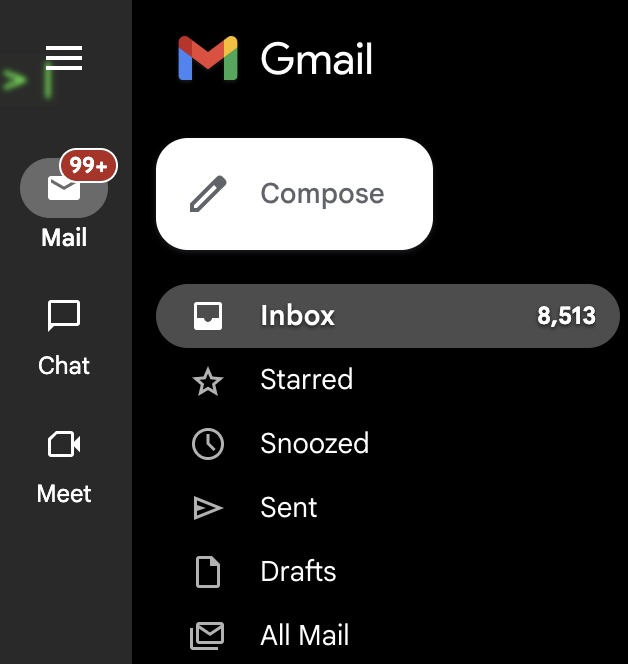
Your inbox is overflowing with old fantasy football league updates, random recipe newsletters you meant to read, and endless promotional blasts. You do not want to sort them. You just want the red number to go away so you can breathe again.
In this guide, we will show you the exact, hidden sequence to "Mark All as Read" in Gmail.
But more importantly, we are going to show you why hitting that button is actually a trap, and how to implement a system that prevents those unread emails from piling up in the first place.
In this guide:
- 1. How to mark all emails as read in Gmail (the manual reset)
- 2. Why the "Band-Aid Trap" means the red badge always comes back
- 3. How to stop the noise from reaching you in the first place
Part 1: How to Mark All Emails as Read in Gmail
The Manual Reset
If you just need immediate relief from the unread notification badge, here is how to do a mass "Mark as Read" on a desktop browser.
Note: You cannot do this easily from the Gmail mobile app.
- Open Gmail on your computer.
- Look at the top left corner, just above your first email. Click the empty square checkbox.
- This selects the first 50 emails on the page. To select everything, look for the blue text that appears in the middle of the screen: "Select all [number] conversations in Primary." Click that link.
- Now that every email is selected, click the "Mark as read" icon (it looks like an open envelope) at the top of the screen.
- Click OK to confirm the bulk action.
Congratulations. Your unread count is now zero.
But take a deep breath, because we need to talk about what happens tomorrow.
Part 2: The "Band-Aid" Trap
Why the Red Badge Always Comes Back
Marking everything as read provides an immediate hit of dopamine. It feels like you just organized your life. But this is the Band-Aid Trap.
You have not actually organized anything. You just turned off the alarm.
By tomorrow morning, you will receive another 100 emails. By next week, that red badge will be back in the thousands. You are stuck in a cycle of ignoring your inbox for a month, getting overwhelmed, and hitting "Mark All as Read" to reset the anxiety clock.
You don't need a faster way to ignore your emails. You need a way to stop the noise from reaching you.
The New Opportunity (Enter Tiko Mail)
The "Old Mechanism" of email relies on you acting as the gatekeeper. Google sends everything to your inbox, and it is up to you to read it, file it, or ignore it. We believe that is a broken system. You should not have to manage your inbox. Your inbox should manage itself.
Smart Auto-Sorting
Tiko Mail's algorithm inherently understands the difference between a critical client email and a weekly promotional newsletter. It categorizes them automatically.
Invisible Routing
You don't need to build complex filters. Tiko Mail automatically routes the low-priority noise out of your primary view, meaning those thousands of unread promotional emails never trigger a notification badge in the first place.
The Permanent Clean Slate
Imagine logging in every single morning to an inbox that only contains the 5 messages that actually require your attention. No more sweeping the mess under the rug. The mess is simply gone.
2 weeks free, no credit card needed
Your Choice
Option 1: The Reset Loop
Follow the steps in Part 1, clear your unread badge today, and prepare to do it all over again next month when the clutter inevitably returns.
Option 2: Step Off the TreadmillRecommended
Let the software do the heavy lifting so you only see the emails that matter. Stop reacting, start automating.
- ✓ Automatic email categorization
- ✓ Invisible noise routing
- ✓ Privacy focused
Ready to stop fighting your inbox? Automate your email today.